Design a PDF people can fill in.
Turn a PDF into a fillable form with TrePDF. Open the Forms tab, place your fields, and arrange them directly on the page.
Choose the fields you need
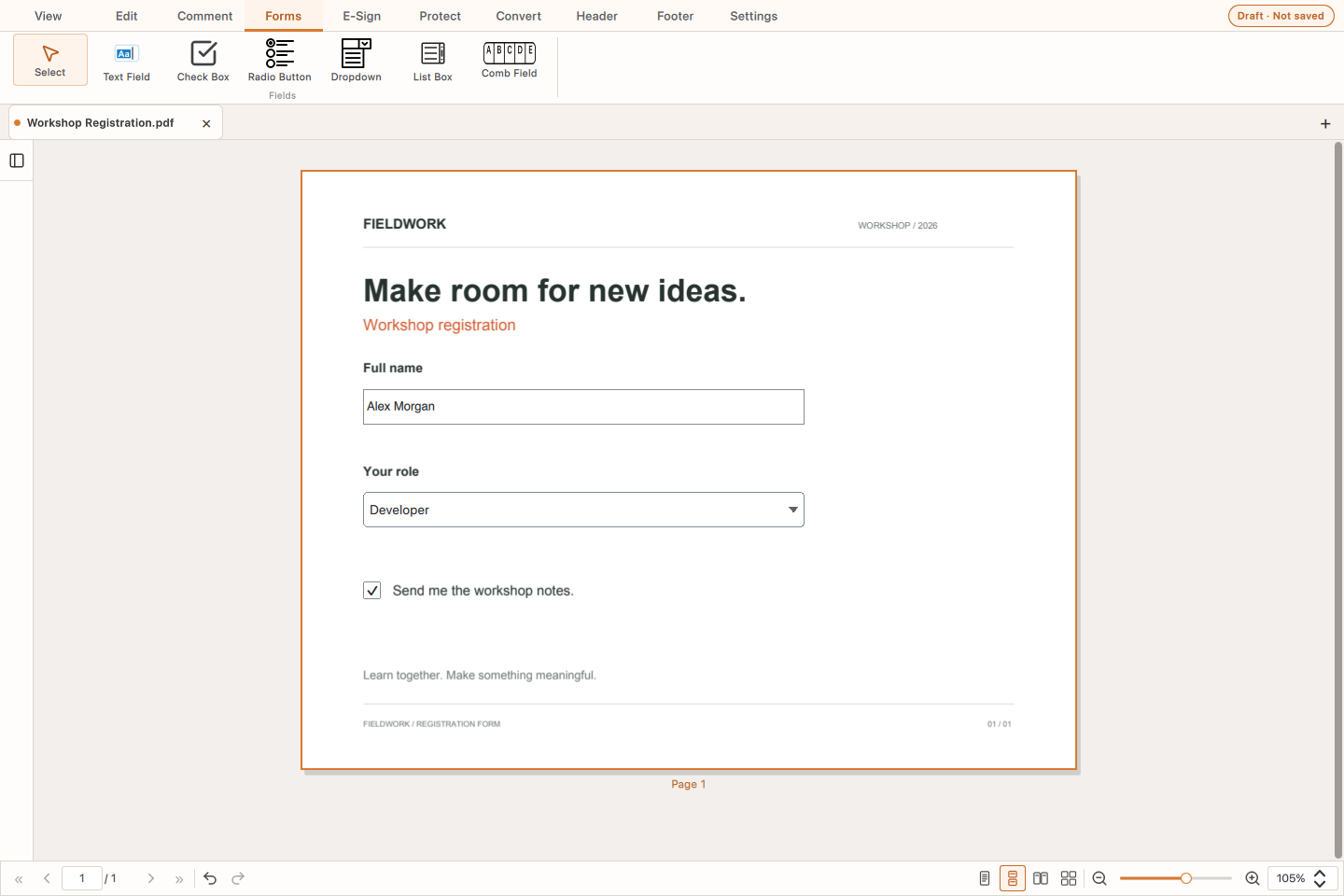
Add text fields, checkboxes, radio buttons, dropdowns, list boxes or comb fields for character-by-character input. Dropdowns support one selection; list boxes support multiple selections.
Arrange and adjust
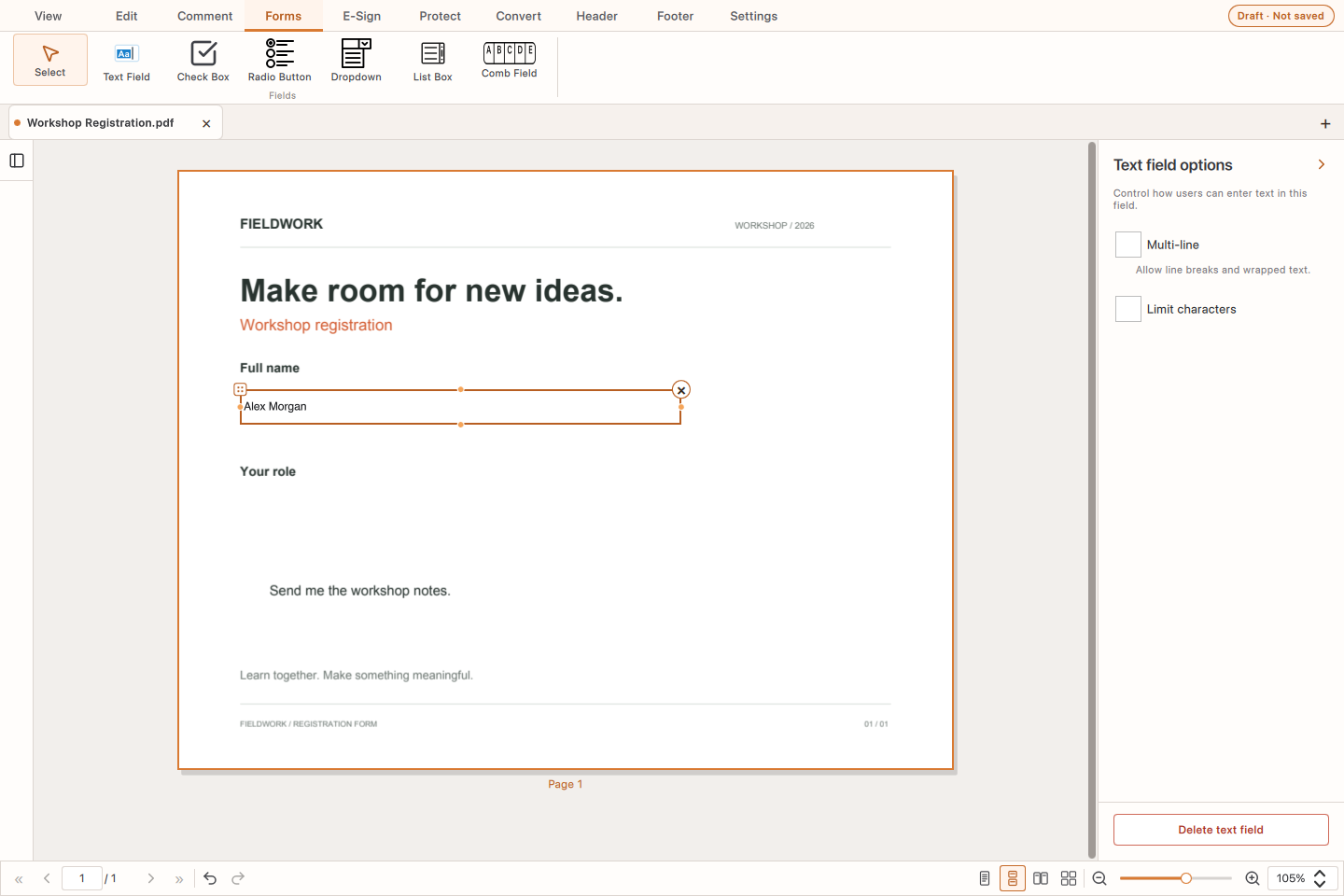
Move and resize fields to fit your document. Enable multiple lines or set a character limit for a text field. Give radio buttons the same Group ID to let people choose just one option within that group.
Set up the choices
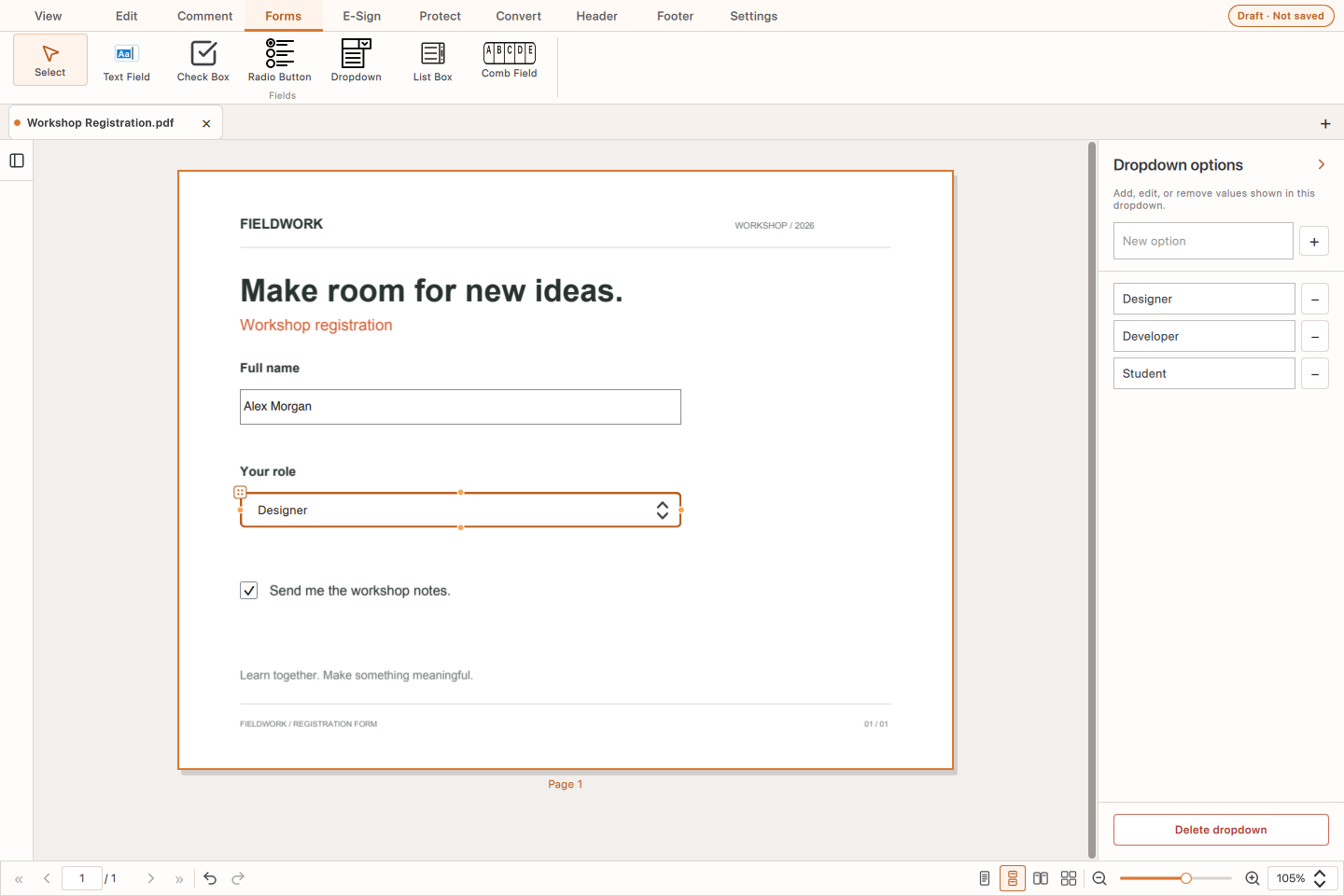
Add, edit or remove items in a dropdown. Use a checkbox to let people confirm a choice directly on the form.
Save, then fill in
Save your field layout to the PDF, or use Save As to keep the original and create a separate form. Reopen the saved PDF in TrePDF to enter text and select the available options. Form values can then be saved with the document.