TrePDF features
Edit your PDF, on the page.
Update text, add images, and arrange pages. Keep control of every change before you save.
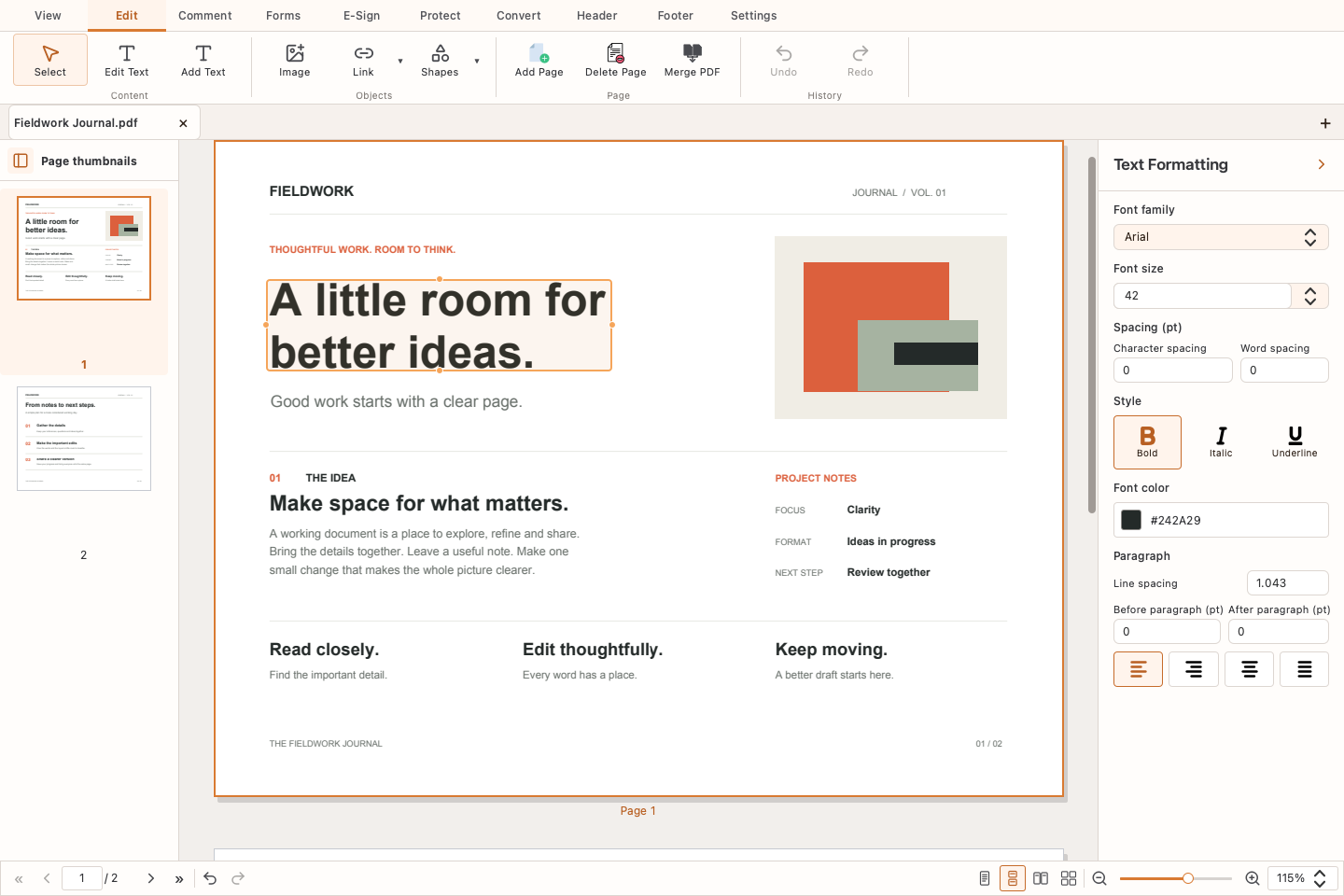
Edit text directly
Select supported text to change its wording, font, size, or color. Add a text box for new content.
Missing font? Get a little help.
TrePDF automatically detects missing fonts. Confirm to download available matching styles over the internet, or choose a supported alternative.
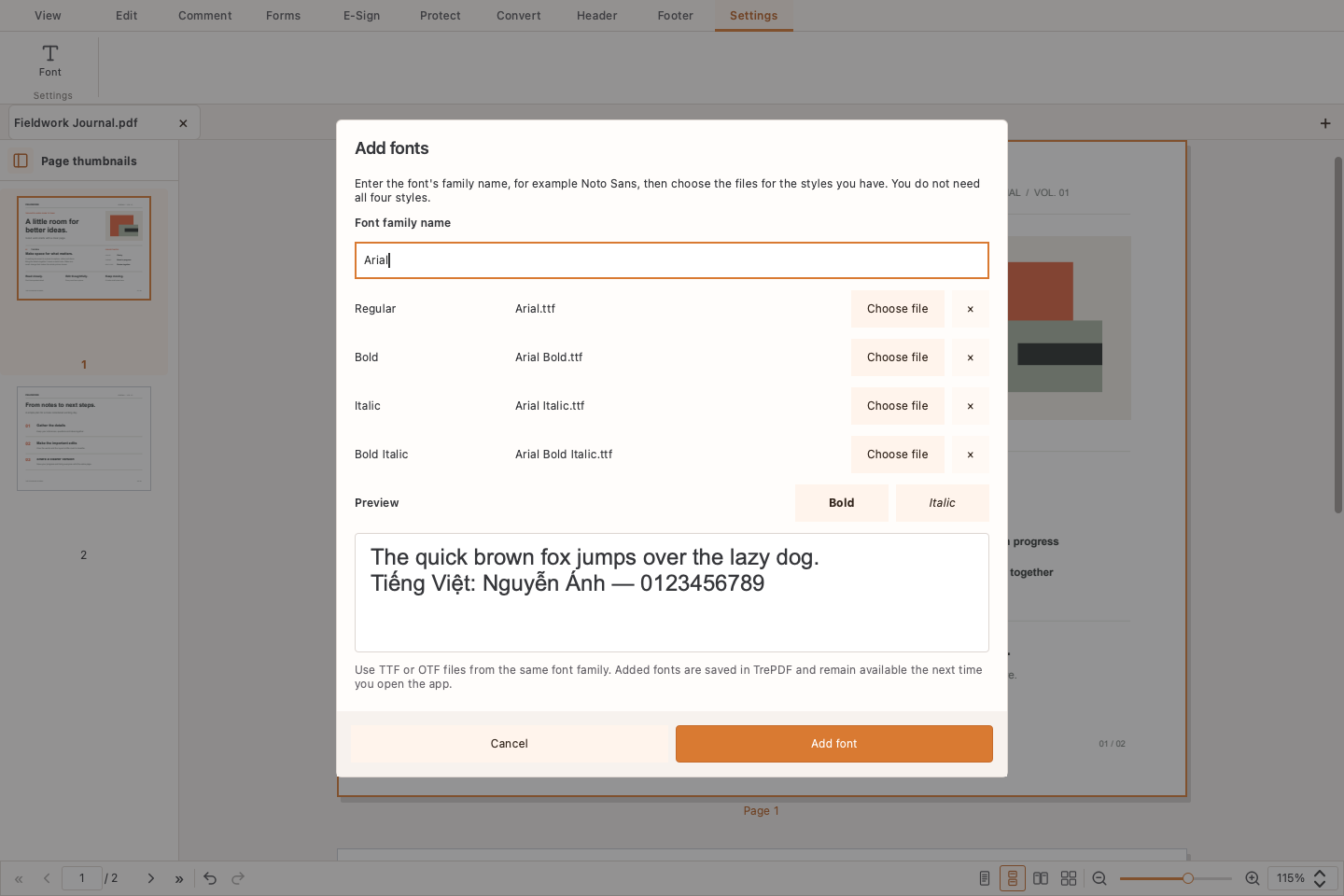
How to download and add fonts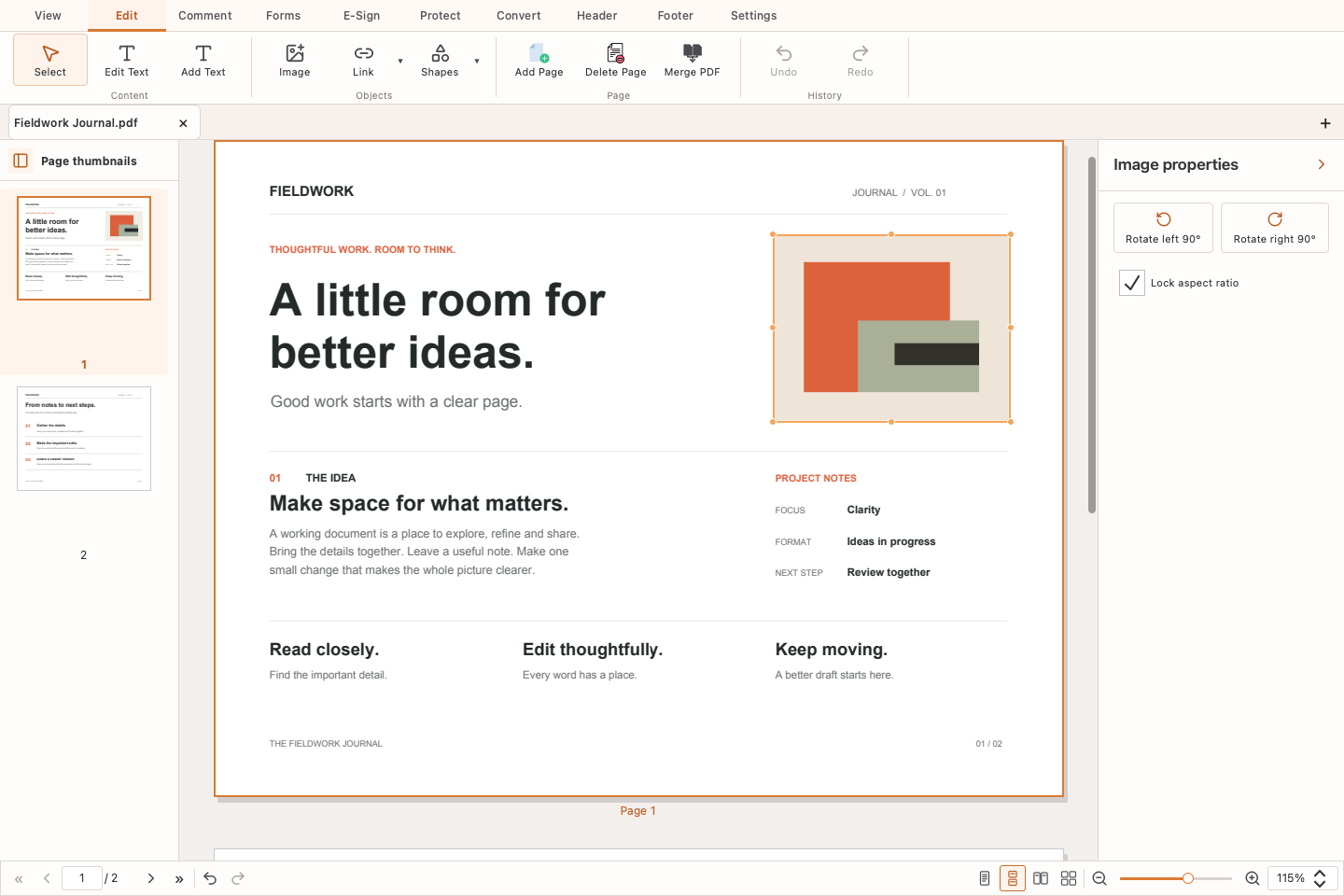
Arrange images and pages
Add images, or move and resize supported existing images. Insert blank pages, remove pages, or merge PDFs into a separate document.
Undo, review, then save
Undo or redo while editing. Changes stay in drafts until saved; use Save As to create a copy and keep the original.